



Shopping Cart
What will you find in the Store and how does it work?
If you prefer to watch a video Click HERE or....
--------------------
- In your currency....
The store has several options for displaying prices in different currencies. To select the one that works best for you, look at the top of the store and you will find "Currency".
Keep in mind that the currencies for sale or to carry out the transaction are: COP (Colombian Peso), USD (US Dollars) and € (Euros).

Each product has very complete information on its detail page.
- To access the detail page of each product, click on the product image or the "More" button that appears in the product listing.

- On the detail page you will find the following:
- Several images of the product. Generally they have a scroll arrow on the right to view all images.
- Technical sheet (Dimensions, weight, etc)
- Product description, with what is included and depending on the case, also the additional elements with which you can complement that product. You must click on the Tab / tabulator "Product Details", in the detail of each product.
- Manufacturing / Delivery / Shipping Times
- In some cases the product includes a Video
- On some products we offer Volume Discounts, which can also be seen in the details
- Calculate Shipping Costs for each product to your country and city, with the button: "Calculate Shipping Cost"
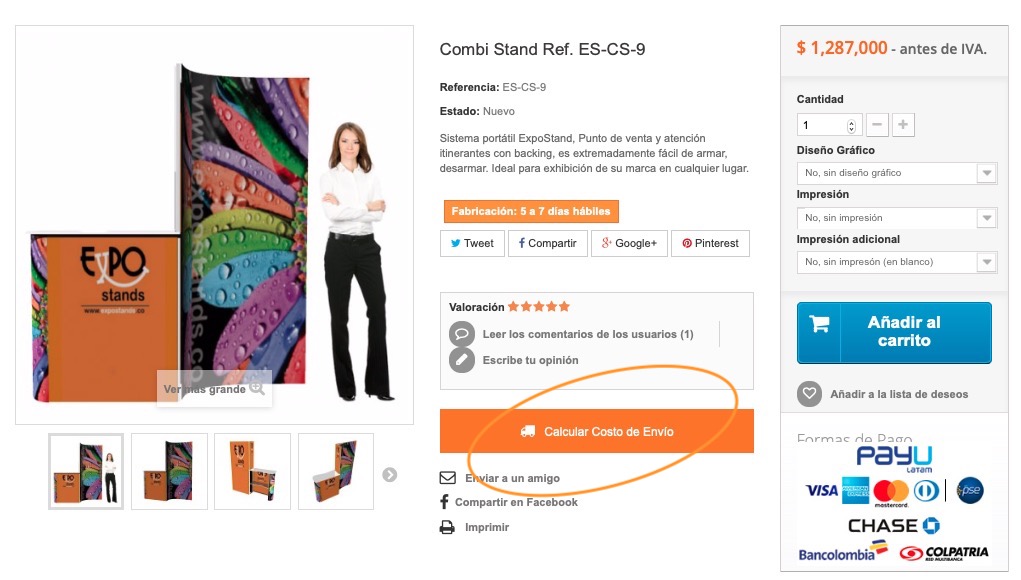
- Product options:
The product price will automatically change depending on the customization required and the additional services you request, such as graphic design and printing, colors, among others, etc.
(Note. If you have questions about what the dropdown fields mean, check the "Product Details" tab)

- You can additionally add these products to the "cart" either to make a self-quote or to purchase them.
- You can calculate total shipping costs once you have registered in the store and included your shipping address. Only then will the system be able to calculate the total shipping value for multiple products.
To create a quote:
Remember:
- You must be registered so that the quote is generated with your data or your company's data.
- You must have at least one Shipping address and another, or the same one for billing, (This is required to calculate shipping cost and applicable taxes or exclusions)
- You must have at least one Shipping address and another, or the same one for billing, (This is required to calculate shipping cost and applicable taxes or exclusions)
- Once you have selected the products in your cart.... you must "Go to checkout"...
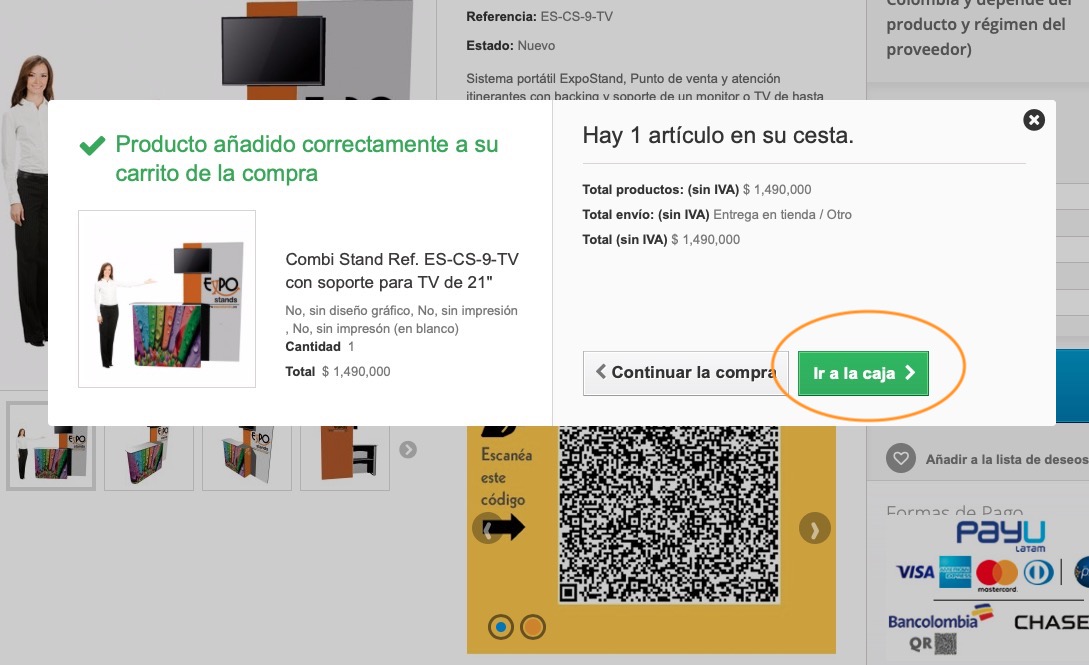
- There make sure to verify that your shipping address details (Country, city, postal code, etc.) are correct.
- Choose the carrier.
- Scroll up again to view the "Total"
- Below the Total you will find a button that says: Generate as quote (To download and print - PDF)
- Choose the carrier.
- Scroll up again to view the "Total"
- Below the Total you will find a button that says: Generate as quote (To download and print - PDF)
- Click there....

- A PDF document will be generated for you to download, resend or print according to your requirements....

To purchase:
Remember:
- You must be registered...
- You must have at least one Shipping address and another or the same one for billing, (To calculate shipping cost and taxes)
- You must have at least one Shipping address and another or the same one for billing, (To calculate shipping cost and taxes)
Once registered as a customer, the page will ask you to enter the delivery address. Subsequently you will select the carrier.
You will proceed to the final phase of the process, in which you must select the payment method.
You will proceed to the final phase of the process, in which you must select the payment method.
- We offer the following payment methods:
- PayU for credit card and PSE payments (In different currencies and from any country)
- Bank transfer or deposit. (In Colombia and in the United States)
- BitCoins
Accept the terms of sale. That's it.
If you have questions about our payment methods, visit: https://gruposrm.com/web/inicio/formas-de-pago-en-grupo-srm/